
Accessibility Remediation Cost: What Your Estimate Leaves Out
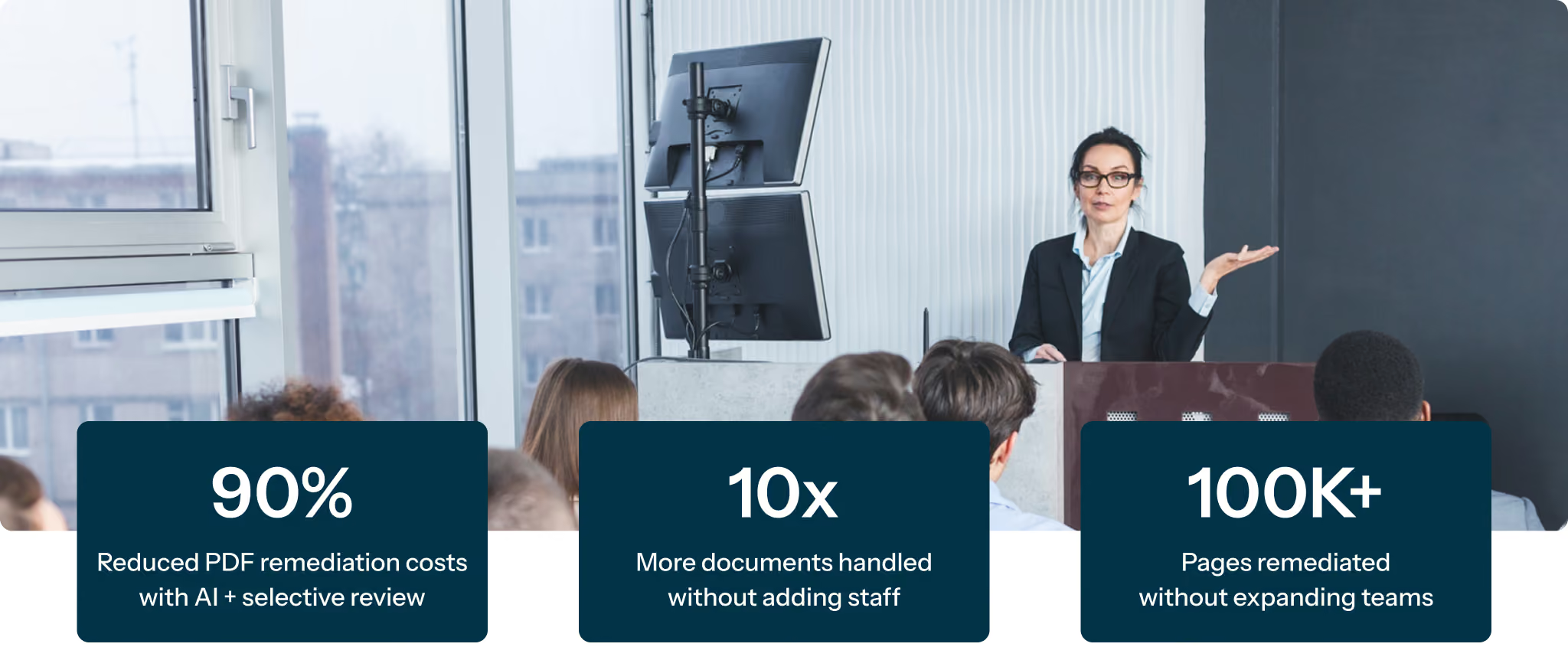
TABLE OF CONTENTS
Why the First Estimate Comes In Low
Picture a provost with hundreds of courses full of inaccessible PDFs and a compliance date on the calendar. The first plan is often to ask faculty to fix their own files. Faculty already carry full teaching loads, and remediation is skilled work, so that plan rarely survives the first conversation.
Most estimates go wrong the same way. They count the documents you have today and stop there. New syllabi, forms, and handouts arrive every term, and every outside tool has to clear security review before work starts.
The Dates Your Budget Has to Meet
Under the Department of Justice's ADA Title II rule, web content and documents from public entities, including public colleges and universities, need to meet WCAG 2.1 Level AA. In April 2026, the DOJ moved both compliance dates back one year:
- April 26, 2027, for public entities with a total population of 50,000 or more.
- April 26, 2028, for public entities with a total population under 50,000 and for special district governments.
In May 2026, the National Federation of the Blind filed a lawsuit challenging the extension, so these dates could change (ADA Title II updates, titleii.org).
The rule has narrow exceptions for some older documents. Files people use today to apply for, access, or take part in services generally still need to meet the standard. Read the exceptions on ADA.gov before you take any files out of scope.
Four Plans and Where Each One Strains
Plan A: Your Accessibility Team Does It
Your team knows this work. Volume is the problem.
In the workshop below, CampusMind's team describes accessibility offices facing far more documents than in past years, with processes built for the old volume starting to break.
Manual remediation is careful, page-by-page work. Across a large document library, it competes with everything else your team already does.
Plan B: Student Workers
The hourly cost looks lower. Every file a student remediates still needs review by experienced staff, and turnover each term means training new people again. Once review time is counted, most of the savings disappear.
Plan C: An Outside Vendor
Outside remediation vendors usually price by the page, and complex documents, scanned pages, and forms cost more. At large volume, the total grows fast. Vendors also have to clear your security review before any work starts, which takes time from IT, legal, and procurement.
Plan D: Automated Tagging With Human Review
Automated tagging does the repetitive part: structure, reading order, and draft alt text. Your team reviews and approves every file, and edge cases are flagged first.
A practical order of work: run automated remediation across everything first to raise your baseline, then put specialist time into complicated content, such as forms with complex layouts and medical diagrams. Your team still reviews and approves each file.
How the Four Plans Compare
| Approach | Who does the work | What strains first | Covers new uploads |
|---|---|---|---|
| Faculty | Instructors, on top of teaching | Faculty time and consistency | Only if every instructor keeps it up |
| Student workers with staff review | Students, checked by staff | Review time and turnover each term | Only with ongoing hiring and training |
| Outside vendor | The vendor's team | Total cost as page counts grow, plus security review | Only with ongoing orders |
| Automated tagging with human review | Software for the repetitive part, your team approves | Setting up the review workflow | Yes, when connected to where documents are published |
Next Term's Documents Count Too
The work doesn't end when your current files are fixed. Faculty post new syllabi every semester. Financial aid releases new forms. Student services creates new handouts.
When remediation is connected to where documents are published, each new upload can be remediated and republished as it arrives, with a person approving it.
The institutions that keep up have workflows that handle documents as they arrive, with a person reviewing each file.
Put Security Review in the Timeline
Any outside tool has to clear your security review before it touches a document. Your team will want to check:
- FERPA compliance (student data protection)
- HIPAA alignment (if you run healthcare programs)
- SOC 2 or FedRAMP requirements
- Data residency rules
- AI training practices
Security review is a big step for universities, and every vendor has to go through it.
Start that review early, alongside your budget request.
Count the Cost of Waiting
Inaccessible documents carry legal risk as well as a budget line. People can file complaints with the DOJ, and private lawsuits are possible. Building the cost of remediation into this year's budget is usually easier than responding to a complaint.
What It Looked Like for Montgomery County
Montgomery County, Maryland, a county government, used CampusMind's Accessibility Agent to remediate more than 8,500 PDFs, about 70,000 pages, in about six weeks. The files were brought to WCAG 2.1 AA and PDF/UA on Azure, with a person reviewing every file. The county estimates the project saved 6,650 hours and $266K (both estimated).
Better Questions Than Per-Page Cost
- Can new uploads be remediated as they arrive, with a person approving each file?
- Does it work inside the LMS and web platforms your campus already uses?
- How long will security review take, and are the vendor's documents ready for it?
- What is the plan for reaching WCAG 2.1 AA, and then staying there?
How CampusMind Fits
CampusMind's Accessibility Agent handles the repetitive remediation work, and your team reviews and approves. Every file is reviewed by a human, and edge cases are flagged first. CampusMind is FERPA compliant, and campus data never trains models. It runs in your institution's Azure tenant or is hosted by CampusMind. You can review our security documents in our Trust Center.
Pricing is tailored to your institution, based on its size, the products you use, and where it runs. Start with a two-week pilot for up to 5 people and 50 pages, or get an accessibility quote for your document library.
Watch the Full Workshop
This article covers the budget side. The full workshop covers the rest, including a live demo of automated remediation in Canvas, vendor evaluation criteria, and governance models that work at scale. It features John Hillsman (Access Alliance) and Asad Jobanputra, VP at CampusMind.
Frequently Asked Questions
Four things: how many published PDFs you have, how complex they are (forms, tables, math, scanned pages), how many new documents arrive each term, and how long your security review takes. Staff time to review and approve files is part of the cost too.
Most estimates count only existing documents. New syllabi, forms, and handouts keep arriving every semester, and vendor security review can add months before work starts. A good plan covers new uploads as well as your current document library.
Public entities with a total population of 50,000 or more need to meet WCAG 2.1 Level AA by April 26, 2027. Public entities under 50,000 and special district governments have until April 26, 2028. The Department of Justice set these dates in April 2026, one year later than the original dates. A May 2026 lawsuit from the National Federation of the Blind challenges the extension, so these dates could change.
CampusMind pricing is customized. It depends on your institution's size, the products you use, and whether CampusMind hosts it or it runs in your own Azure tenant. Get an accessibility quote for your document library.
Yes. Start with a two-week pilot for up to 5 people and 50 pages. Pick a batch of PDFs your team knows well and compare the results.
Yes. Every file is reviewed by a human, and edge cases are flagged first. Automated tagging does the repetitive part, and your team reviews and approves.
You can review our security documents in our Trust Center. CampusMind is FERPA compliant, and campus data never trains models.