How to Control Generative AI Costs in Higher Education

Campus AI bills are changing shape. Flat per-seat licenses are turning into subscriptions with usage credits on top, and the overage lands on the institution. The way to keep that bill predictable is to set limits by role, watch usage as it happens and route routine work to lower-cost models. This post explains how the new pricing works, what campuses are already doing about it, and six controls to put in place before the next renewal.
Key Takeaways
- The big AI vendors are moving campuses to subscription-plus-usage pricing. At UConn, ChatGPT Edu kept its $236 a year base price in July 2026 and added weekly credits, with heavier use billed quarterly.
- Unmanaged use is what breaks a budget. A CDW architect has seen universities pay about $200,000 a year for model access, then receive a separate token bill once usage passes the included allotment, driven mostly by research activity.
- Fordham University gets visibility into about 90% of its AI spend with three license tiers and required training before anyone gets a pro license.
- Before you renew, write thresholds, alerts, caps and the right to pause a workload into the contract, and track consumption by user group.
Why Are Campus AI Bills Harder to Predict Now?
Two years ago, most campus AI deals were simple: a price per seat, paid once a year. That is changing. In June 2026, UConn's IT department told its users that OpenAI was moving the university to a “subscription-plus-usage pricing model” from July 1. Thinking models, Pro-level models and high-compute features now cost per-use credits, and UConn planned a chargeback for heavy users.
The numbers are worth knowing. The base ChatGPT Edu license stayed at $236 a year and includes 60 credits a week. A Power tier lets a user keep going for up to 10,000 more credits a week, at about $0.04 a credit, so a user who spends all of that adds about $400 a week to the bill. Overage is billed quarterly.
At the system level, the figures get large. The California State University system renewed its ChatGPT Edu agreement at $13 million a year for three years, down from a $17 million 18-month contract, to cover more than 470,000 students and 63,000 faculty and staff. It did so while facing $144 million in budget cuts, which is the tension most campuses now face: AI access is expected, and the money has to come from somewhere.
| Pricing Model | Example | What You Pay | What Makes the Bill Grow |
|---|---|---|---|
| Flat system contract | CSU system (ChatGPT Edu) | $13M a year for 470,000+ students and 63,000 faculty and staff, for three years | Nothing during the term; the price is reset at renewal |
| Subscription plus credits | UConn (ChatGPT Edu) | $236 a year per user, with 60 credits a week included | Extra credits at about $0.04 each, up to 10,000 more a week, billed quarterly |
| Access fee plus tokens | Universities described by CDW | About $200,000 a year for model access | A separate token bill once usage passes the included allotment |
Reading down the table, more of the bill moves from a fixed price to usage.
Wondering what your own bill would look like?
Where Does the Money Actually Go?
Most of an AI bill comes from a small share of users and workloads. In a September 2026 EdTech Magazine piece, CDW enterprise architect Fred Sessoms wrote that he has seen universities pay $200,000 a year for access to a large language model, and that the fee only covers the right to use it. Once usage passes the included allotment, a separate token bill arrives. The driver, in his experience, was unfenced research activity from faculty and graduate students.
Three patterns account for most surprise charges:
- Reasoning and “thinking” models used for routine tasks like summarizing a syllabus or drafting an email, when a smaller model would do.
- Agents and automations that make many model calls for a single request, so one click can cost ten times what a chat message costs.
- Research and course projects that run for weeks on shared credentials, so the usage shows up on the central bill with no owner.
Anand Padmanabhan, Fordham's VP and CIO, calls model selection “a financial architecture decision” and argues campuses should drop the assumption that every request needs the most powerful model available. That reframing is the heart of cost control.
What Are Campuses Doing About It?
Three approaches have come up repeatedly in 2026, and they work together.
Chargeback with a flat outward price. Notre Dame offers ChatGPT Edu through a chargeback to departments. When it renewed, it kept a flat price for users rather than exposing them to token billing, and it is monitoring consumption closely to build a usage baseline. UConn is heading the same way with a chargeback for Power-tier use.
Tiers with a review step. Fordham gives everyone a general-purpose option and puts users who request more advanced models through a more detailed review. The result, according to Padmanabhan, is visibility into about 90% of the university's AI spend.
Training before power. At Fordham, users complete training before they receive a pro or enterprise license. The sessions teach people to use lower-cost models for routine work and save the capable ones for tasks that need them. Training is a cost control because it changes behavior before the bill arrives.
Which Controls Should Be in Place Before the Next Renewal?
Taken together, the campus examples and the contract advice from EdTech Magazine point to six controls. The first three live in the platform; the last three live in the contract.
| In the Platform | In the Contract |
|---|---|
| 1. Usage limits by role | 4. Consumption reports by user group |
| 2. Alert first, then pause | 5. Thresholds, caps and the right to pause |
| 3. Routine work on lower-cost models | 6. A plain definition of what triggers a charge |
1. Set Usage Limits by Role
A first-year student, a grant-funded researcher and an admissions counselor do not need the same allowance. Set limits per role and raise them on request, the way Notre Dame generally approves higher quotas while watching the baseline.
2. Alert First, Then Pause
A limit that only shows up on an invoice is a report. A useful limit tells the administrator and the user as they approach it, then pauses usage until someone approves more. EdTech Magazine's checklist for contracts includes exactly this: thresholds, alerts and the ability to pause a workload before costs escalate.
3. Route Routine Work to Lower-Cost Models
Most campus requests are drafting, summarizing and answering questions from documents. Those run well on smaller models. Reserve reasoning models for the work that needs them, and make the default the cheaper option so people have to opt in to the expensive one.
4. Report Consumption by User Group
Sessoms puts it simply: whoever pays the bill needs to understand the consumption of the different user groups, meaning faculty, students, researchers and administrative staff. Vendor reporting should break down usage by application, organizational unit and workload, so the business office can see which group's bill is growing and shut something off before the billing cycle ends.
5. Put Thresholds, Caps and Pauses in the Contract
Before you sign, ask for spending caps, rate limits, model restrictions and the right to pause a workload. A vendor who cannot offer those is asking the campus to carry all the pricing risk.
6. Define What Triggers a Charge
Ask whether different models consume credits at different rates and how an agent's multiple actions are billed for one request. UConn's credit math (about $0.04 a credit, 10,000 credits for about $400) is the kind of plain definition every contract should have.
Want a second set of eyes on your next AI renewal?
How Does Campus Chat Keep Costs Predictable?
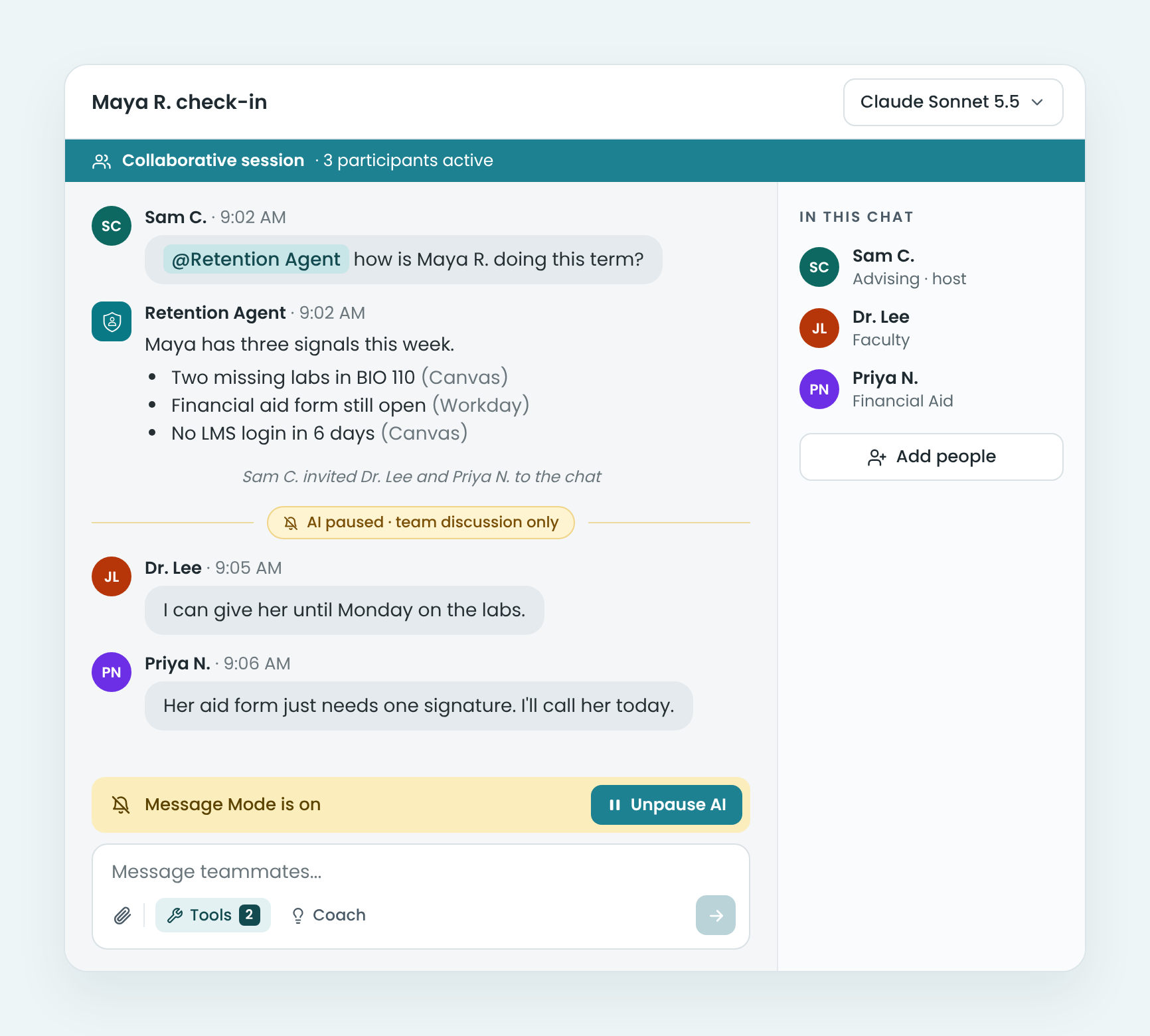
Campus Chat is built around the controls above. Your institution pays for the platform, then for actual usage, so there is no per-seat license to defend each year. Administrators set role-based usage limits, get an alert as a user or group approaches a limit, and usage pauses until someone approves more. Every leading model is available in one place, so routine work can run on a lower-cost model while research that needs a reasoning model gets one.
CampusMind runs in your institution's Azure tenant or is hosted by CampusMind, and campus data never trains models. You can review the security details in our Trust Center.
If you want to see what a month of campus usage would cost under role-based limits, start a two-week free trial with one department and compare the report with your current invoice. Need something to share with your CIO or budget office? Get the Campus Chat brochure.
Terms Worth Knowing
Frequently Asked Questions
Vendors moved from flat per-seat licenses toward subscription-plus-usage pricing. UConn's IT department described the shift in June 2026: a base subscription stays flat, and reasoning models, Pro-level models and high-compute features cost per-use credits on top.
It depends on the deal. UConn's base license is $236 a year with 60 credits a week included, and heavy users can buy up to 10,000 more credits a week at about $0.04 each. The CSU system pays $13 million a year for more than 470,000 students and 63,000 faculty and staff.
Reasoning models used for routine work, agents that make many model calls per request, and research projects running on shared credentials. CDW's Fred Sessoms has seen token overage at universities driven mostly by unfenced research activity from faculty and graduate students.
Notre Dame and UConn both use chargebacks, and Notre Dame kept a flat outward price so departments are not exposed to token billing directly. A chargeback works best alongside role-based limits and reports by user group, so departments can see what they are paying for.
Thresholds and alerts, rate limits and spending caps, model restrictions, the right to pause a workload, and a plain definition of what triggers a charge, including how agent actions are billed.
Not if limits are set by role and raised on request. Notre Dame generally approves requests for higher quotas while it builds a usage baseline, and Fordham's review step is for advanced models only. The goal is to see the spend and decide on it, rather than to stop it.
Sources
- UConn Information Technology Services, Upcoming Changes to ChatGPT Edu Subscriptions (June 15, 2026)
- UConn Information Technology Services, ChatGPT Edu renewal and credit tiers (June 25, 2026)
- EdSource, Kate Rix, California State University renews controversial systemwide contract with OpenAI (May 21, 2026, republished by Long Beach Post)
- EdTech Magazine, Nathan Eddy, How Higher Ed Institutions Can Control AI Spending Without Curbing Innovation (September 21, 2026)
- EdTech Magazine, Fred Sessoms (CDW), How Higher Ed IT Leaders Budget for Rising AI Costs (September 16, 2026)